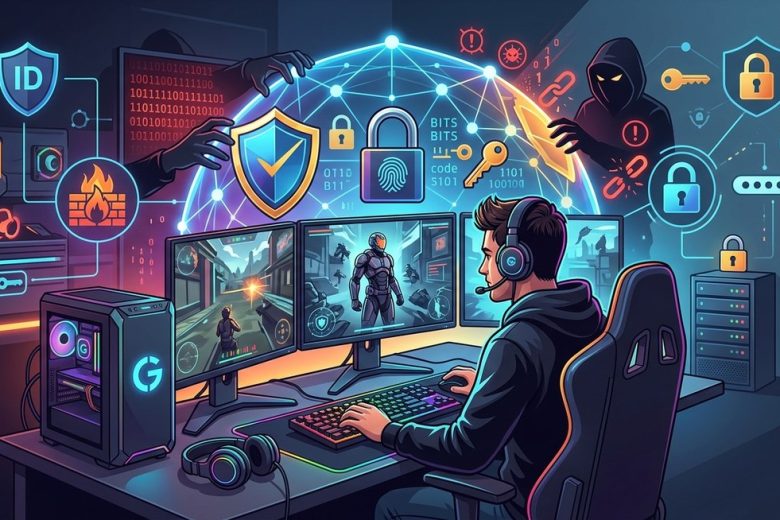
Gighting through a sprawling virtual world is more than just collecting skins and ranking up a leaderboard. It also means you are creating and sharing traces of your real life online. For many gamers, a single compromised account or a leaked private detail can cascade into stolen identities, financial loss, and weeks of recovery drama. At GeeksUnleashed.me we celebrate the thrill of gaming while keeping you safe in the digital frontier. In this guide you will find practical, easy to implement steps to protect your online identity as a gamer without turning your setup into a fortress. Let’s dive into how to game hard and stay private at the same time.
Why Your Digital Identity Matters for Gamers
Your online identity is more than a username. It is a bundle of personal data, habits, payment methods, and social connections that can be exploited if exposed. For gamers this risk is real and often targeted because:
- Personal data can be used for fraud or social engineering campaigns.
- Compromised accounts can lead to loss of in game assets, currencies, and progress.
- Public profiles can reveal locations, real names, or contact details.
- Streaming and content creation can widen your exposure to trolls and data thieves.
Protecting your identity is not about paranoia; it is about creating a safer environment where you can focus on the fun. When you safeguard your data, you also reduce the risk of being baited into scams, losing access to purchases, or becoming a target for misuse of your online footprint.
What you will gain by strengthening identity protection
- Fewer phishing attempts that succeed due to strong verification.
- Higher resilience against account takeovers and fake login pages.
- More control over what information about you is visible online.
- Faster recovery if something does go wrong.
Common Threats Targeting Gamers
Being aware of common attack patterns helps you spot trouble before it affects you. Here are the threats most gamers should know.
Account Hacking
Attackers aim to guess or steal login credentials to take control of your accounts. Once they are in, they can change settings, lock you out, steal in game currency or items, and siphon connected services.
Phishing Scams
Phishing can appear as emails, messages, or in game chat designed to look legitimate. The goal is to get you to reveal passwords, 2FA codes, or payment details.
Malware and Ransomware
Malware hides in fake game mods, cracked software, or compromised game launchers. It can steal data or lock your files for ransom.
DDoS Attacks
Distributed Denial of Service attacks can disrupt your gaming sessions, especially competitive players who rely on stable connections. They target both individuals and teams.
Social Engineering
Even when technical barriers exist, social tactics like manipulation and deception can pressure you into sharing sensitive information or performing risky actions.
Practical Security Habits for Gamers
Building strong security habits does not require breaking the flow of play. Here are practical steps you can implement today.
Use Strong Unique Passwords and a Password Manager
- Create unique, hard to guess passwords for every account.
- Use a password manager to store and autofill them safely.
- Enable password generation features to create longer passphrases that are easy to remember.
Tips:
– For games and related services, avoid predictable patterns like “Gamer123” or “FirstName123”.
– Update passwords when you suspect a breach, even if the breach is not your service.
Turn on Two Factor Authentication (2FA)
- Enable 2FA on every service that supports it, including game platforms, email, and payment providers.
- Prefer authenticator apps (like Google Authenticator, Authy) or hardware keys for higher security.
- Keep backup codes in a separate secure location.
Why this matters: 2FA adds a second barrier so even if someone steals your password they still need the second factor to access your account.
Keep Your Devices Secure
- Install reputable antivirus or anti malware software and keep it updated.
- Regularly update your operating system, console firmware, and game clients.
- Use screen lock on your devices and require a passcode or biometric unlock.
Use a VPN for Gaming and Public Networks
- A VPN can shield your traffic on public WiFi and reduce the risk of interception.
- Choose a reputable provider with low latency, a strong no logs policy, and robust encryption.
- Remember that not all VPNs improve gaming performance; test to ensure your latency remains acceptable.
Be Wary of Third Party Apps and Mod Sites
- Only download games and add ons from official stores or trusted publishers.
- Avoid shady mod sites or cracks that promise free currency or items.
- Check permissions before installing apps; if something requests access that seems excessive, pass on it.
Secure Online Wallets and Payment Methods
- Use payment methods that offer buyer protection and don’t reveal unnecessary details to game sites.
- Enable transaction alerts and review billing statements regularly.
- Consider virtual cards for one off purchases to limit exposure of your real card number.
Safe Online Shopping for Games and DLC
- Verify the seller’s legitimacy, especially for digital codes and keys.
- Watch for deals that look too good to be true; they often are scams.
- Keep receipts and monitor chargebacks if you notice unfamiliar charges.
Privacy Settings and Data Minimization
- Review what data you share publicly in game profiles.
- Disable or minimize in game telemetry where possible.
- Limit cross platform data sharing and third party integrations.
Online Identity Protection for Gaming Profiles
Gaming profiles can reveal more than you intend. Here is how to protect identity across popular platforms and in game communities.
Privacy Settings in Popular Platforms (Steam, PlayStation Network, Xbox Live)
- Review who can see your friends list, activity logs, and profile details.
- Turn off linking of your real name to your profile where possible.
- Restrict who can message you or add you as a friend when you are in public match queues.
In Game Privacy: Data Shared by Games
- Check the game’s privacy policy to understand what data is collected.
- Turn off voice chat recording or sharing options when you do not need them.
- Be cautious about linking your social media or real world identifiers in game profiles.
Streaming and Social Media Identity Safety
- Use separate accounts for streaming and regular gaming activity.
- Avoid sharing private information in streams, chat, or comments.
- Regularly audit who can contact you and what information appears on your streams.
Managing Personal Information in Profiles
- Use a nickname or handle rather than your real name in public profiles.
- Be careful with location data, especially in multiplayer modes that track it.
- Keep your profile photos and bio free of sensitive information like your address or phone number.
Practical Tools and How to Use Them
Equipping yourself with the right tools makes identity protection straightforward rather than tedious.
Password Managers
- Centralize password storage and automatically fill credentials.
- Use strong master password and enable biometric unlock if available.
- Sync passwords across devices securely with end to end encryption.
VPNs
- Use VPNs to secure connections when on public networks or while traveling for events and LANs.
- Test for speed impact; choose providers offering split tunneling for gaming if needed.
- Ensure the VPN has a strict no logs policy and modern encryption standards.
Anti Malware Tools
- Keep real time protection on while gaming to catch drive by downloads.
- Schedule regular scans and update malware definitions.
- Be mindful of security warnings from your software and gaming clients.
Browser Security and Extensions
- Use a privacy focused browser with tracking protection.
- Limit extensions to those you trust and disable auto fill on login fields on unknown sites.
- Clear caches and cookies periodically to reduce fingerprinting.
Two Factor Authentication Apps
- Backup codes stored in a secure place.
- Prefer authenticator apps over SMS for 2FA due to SIM swap risks.
- Use hardware security keys for additional protection on high value accounts.
Account Recovery Options
- Add multiple recovery methods such as backup email addresses and trusted phone numbers.
- Confirm recovery options are up to date after any major change in your life or devices.
- Test the recovery process occasionally to ensure you can regain access quickly if needed.
Quick Response Plan If Your Identity Is Compromised
Even with best practices, it is possible to encounter a breach. Here is a practical reaction plan.
Immediate Steps
- Change your password on the compromised account and force sign out other sessions.
- Enable 2FA if it was not already active.
- Check connected services for unusual activity and revoke suspicious permissions.
How to Recover Accounts
- Use official recovery forms or customer support channels.
- Provide requested identifying information and document suspicious activity for quicker investigation.
- If you use a payment method with recurring charges, contact the card issuer to place a hold or cancel payments.
Credit Monitoring and Identity Theft Protection
- Consider enrolling in a credit monitoring service if you have concerns about identity theft.
- Review credit reports for unfamiliar accounts opened in your name.
- Be prepared to file a police report if the breach involves significant financial loss.
Reporting and Reducing Damage
- Report phishing emails or scams to platform providers so they can protect other users.
- If your social accounts are affected, alert friends and followers to beware of fake messages from your account.
- Review and adjust privacy settings after the incident to reduce future risk.
Staying Ahead: Trends and Emerging Protections
Cyber threats evolve rapidly, especially in the gaming space. Here are a few evolving areas to keep an eye on.
- Zero trust security practices across gaming platforms.
- Biometric authentication options and hardware security keys expanding in reach.
- Safer cross platform chat tools that minimize data sharing defaults.
- More robust parental controls and family sharing options offering privacy by default.
Roadmap: Building a Personal Identity Protection Plan
- Step 1: Inventory every gaming and related account you own. List what data is exposed and where.
- Step 2: Enable 2FA on all possible services. Start with the most valuable accounts like email, your primary gaming platform, and payment methods.
- Step 3: Deploy a trusted password manager across devices.
- Step 4: Install a reputable security suite and keep it updated.
- Step 5: Regularly audit privacy settings on each platform and game.
- Step 6: Keep learning. Security is an ongoing practice rather than a one time setup.
FAQs
- What is the first thing I should do if I suspect my account is compromised?
- Start by changing the password, enabling 2FA, and reviewing recent activity across connected services.
- Should I use a VPN for gaming?
- A VPN can protect you on public networks and hide your traffic. Test it to ensure it does not introduce unacceptable latency.
- Is Steam family sharing safe?
- It is generally safe when used with trusted devices and properly managed accounts. Always review device access and avoid sharing credentials.
Final Thoughts
Protecting your online identity as a gamer does not have to complicate your play style. By implementing a layered approach—strong unique passwords, 2FA, device hygiene, careful data sharing, and mindful use of third party tools—you create a safer gaming life. The goal is to keep your gaming experience immersive and fun, while your personal information remains shielded from would be threats. At GeeksUnleashed.me we celebrate the thrill of gaming and the peace of mind that comes with strong identity protection. Stay curious, stay secure, and keep leveling up.
Related Content
- How to Spot Phishing Scams in Gaming Communities
- A Beginner Guide to Password Managers for Gamers
- The Best VPNs for Low Latency Gaming in 2026
- Safe Streaming for Gamers: Privacy and Security Tips
- Understanding In Game Privacy Settings Across Platforms